 Horror News | HNN Official Site | Horror Movies,Trailers, Reviews
Let’s be honest about the state of DIY horror music. Between horrorcore rappers, doom-adjacent metal acts, and the entire cottage industry of composers scoring no-budget slashers, there’s more genuinely unsettling original music coming out right now than most labels know what to do with. What there usually isn’t budget for is the video. A proper music video — the kind with a location, a crew, lighting, and an editor who knows what they’re doing — runs anywhere from $5,000 to $50,000-plus, and takes weeks to turn around. For most of the artists we cover on this site, that number is a joke, not a line item.
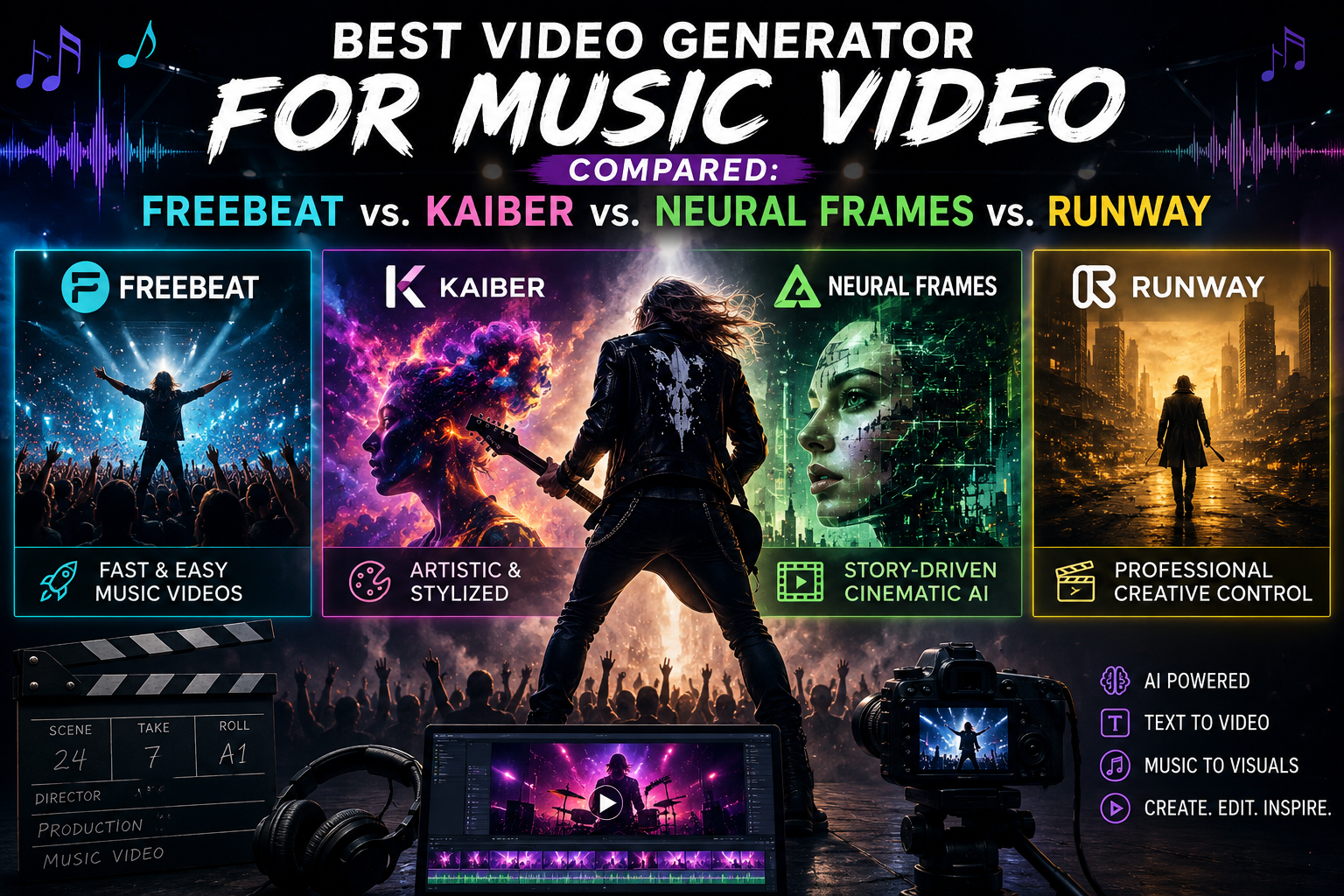
That gap is exactly what a newer category of software, generally sold as a Video Generator for Music Video production, is trying to close. We dug into a few of the actual tools in this space to see which ones make sense for horror-adjacent artists specifically — and it turns out the aesthetic differences between them line up almost perfectly with the different flavors of horror music people are making.
Freebeat — The Full-Song Route
The newest approach — and the one that actually solves the “I have a finished track, I need a finished video” problem directly — is what Freebeat calls a music video agent. Instead of prompting individual clips, it takes a full song and runs an analysis across BPM, onset, energy, spectral content, and section structure, then automatically builds a scene-by-scene storyboard from that analysis, generating a complete, beat-synchronized video rather than a pile of parts to assemble.
A few things that matter for genre work specifically:
- Character consistency across 80+ shots, including two-character scenes, so a recurring performer or figure doesn’t reset visually between cuts — useful for anything with a consistent “monster,” masked performer, or recurring visual motif.
- Lip sync at approximately 90% accuracy across 100+ languages, for performance-style videos.
- A dedicated Audio Visualizer mode, built on 528 audio-reactive effects, for artists who want the visualizer aesthetic without giving up structural sync — the middle ground between Kaiber/Neural Frames’ abstract approach and a fully narrative video.
- Native link-paste from Suno, Udio, or YouTube, so a track built with AI music tools doesn’t need a manual download-reupload step.
For horrorcore and rap-adjacent artists specifically, Freebeat also bundles a Rap Lyrics Generator for drafting verses before a video’s even in the picture — one less separate tool in a workflow that’s usually already stitched together from five different apps.
- The trade-off: because it’s scoped around a full song, it’s not built for someone who just wants a quick abstract loop with no structural intent behind it.
- Best for: Genre artists who want a complete, character-consistent video from a finished track, not a pile of clips to assemble.
Kaiber and Neural Frames — The Visualizer Route
If your track leans abstract, atmospheric, or straight-up psychedelic — think dark ambient, drone doom, anything you’d want playing under a slow zoom into a decaying basement — Kaiber is worth knowing about. It’s the tool that generated the visuals for Linkin Park’s “Lost” music video, and its whole identity is built around a dreamlike, morphing aesthetic that honestly reads as horror-adjacent even when that’s not the intent. Its Beat Sync feature reacts to a track’s volume, though it’s worth knowing that reaction is volume-based, not structure-aware — it won’t distinguish a quiet verse from a screaming chorus the way a full song-analysis tool would, and it doesn’t hold a consistent character across a video. Plans start around $10/mo, with a Creator tier at $29/mo unlocking commercial rights and full Timeline editing.
Neural Frames goes a step further on the “frequency-reactive” front — it separates a track into eight audio stems and maps each one to a distinct visual parameter, which produces genuinely precise abstract visuals for electronic or noise-heavy tracks. It’s a visualizer, not a narrative tool, so don’t expect it to carry a character or a story — but for a DJ set, a doom track, or anything built around texture rather than performance, it’s one of the more musically accurate options out there. Pricing runs roughly $19–26/mo at entry.
- The trade-off: both are visualizers, full stop — neither carries a character or narrative arc across a video.
- Best for: Abstract, atmospheric releases (dark ambient, drone doom) where the visual doesn’t need to tell a story.
Runway — The General-Purpose Route
If you want cinematic, high-fidelity shots — practical-effects-adjacent imagery, moody lighting, something that looks closer to an actual film than a visualizer — Runway is the name that comes up in basically every conversation about AI video, horror or otherwise. Its Gen-4 and Gen-4.5 models produce some of the best per-clip visual quality available, and Director Mode gives real control over camera and lighting. The catch: Runway has zero built-in audio awareness. No beat detection, no song-structure understanding — you’re syncing every cut to the music by hand, which for a full-length track typically means generating 20 to 40 separate clips and spending 5 to 15 hours assembling them yourself. Pricing starts free (125 one-time credits), with paid plans from $12/mo annually up to $76/mo for the top Max tier.
- The trade-off: no audio awareness at all — every second of sync is manual work.
- Best for: The highest per-frame visual fidelity, for creators who don’t mind hand-syncing every cut.
Side-by-Side
| Tool | Audio-Structure Aware | Full-Song Narrative Video | Character Consistency | Entry Price |
| Freebeat | Yes | Yes | Yes (80+ shots) | Free tier / $4.99/wk Basic |
| Kaiber | No (volume-based) | No | No | $10/mo |
| Neural Frames | Yes (frequency-based) | No (visualizer only) | No | $19–26/mo |
| Runway | No | No (manual assembly) | Not applicable | Free / $12/mo |
What This Actually Costs
Since “no budget” is the whole premise here, the numbers matter. Kaiber’s entry Starter tier runs $10/mo for 500 credits, with a Creator tier at $29/mo unlocking commercial rights and unlimited Timeline edits — reasonable for a visualizer-style release. Neural Frames starts around $19–26/mo with no free tier. Runway’s free tier gives 125 one-time credits, with paid plans from $12/mo up to $76/mo for the Max tier — but because a single Gen-4 clip eats 120 credits per 10 seconds, the 20-40 clips a full track needs can burn through most of a month’s allotment before you’ve touched an editor. Freebeat’s free tier is watermarked at lower resolution; paid access starts at $4.99/week for 720p, moving to $26.99/mo for unlimited generations on a bundled music model, and $39.99–$119.99/mo for the tier that unlocks 1080p and a monthly allotment of AI-generated music.
Picking Based on What You’re Actually Making
If the goal is a moody visualizer loop for a doom or dark ambient track — something built to run behind the music on a stream or a Bandcamp release page — Kaiber or Neural Frames will get there with the least setup, since that’s exactly what they’re built for. If the goal is a character-driven video — a recurring masked figure, a consistent “monster,” an actual narrative arc across the runtime — that’s a harder problem that volume-reactive visualizers aren’t built to solve, and it’s the specific gap Freebeat’s character-consistency system targets.
The Honest Caveat
None of these tools claim perfection, and none of them should. Lip sync accuracy is stated as an approximate figure because it genuinely varies by language and how much face time a character gets. AI-generated video and AI-assisted lyrics also come with copyright and commercial-use questions that vary depending on where you’re releasing the work — worth confirming before you monetize anything, especially if you’re sampling or referencing existing horror IP in the visuals.
Bottom Line
If you’ve got a finished track and want one complete video without becoming a video editor in the process, that’s the specific gap Freebeat is built to fill. If your sound is abstract and atmospheric, Kaiber or Neural Frames will probably get you closer to the vibe with less setup. If you want cinematic, high-fidelity shots and don’t mind doing the sync work by hand, Runway’s the play. Either way, “no budget” isn’t a real excuse for a bad video anymore — it’s just a matter of picking the right tool for the sound you’re making.